AI video for Reels and Shorts
Type an idea.
Get a finished Reel.
NewtonClip plans the scenes, writes the voiceover and music, animates every shot, checks each frame and hands you an MP4 ready to post. No editing, no timeline.
Planning is free. Nothing is made until you approve the storyboard.
- 5 sec to 3 minAny length, set by you
- Voice and musicOne voice, two, or your own
- 26 languagesScript, captions and voice
- Vertical MP41080 × 1920, sized for Reels
Formats
Four kinds of video, each with a proven method.
Every clip here is a real NewtonClip video, made from one line. Pick a format, or let the AI choose from your idea.
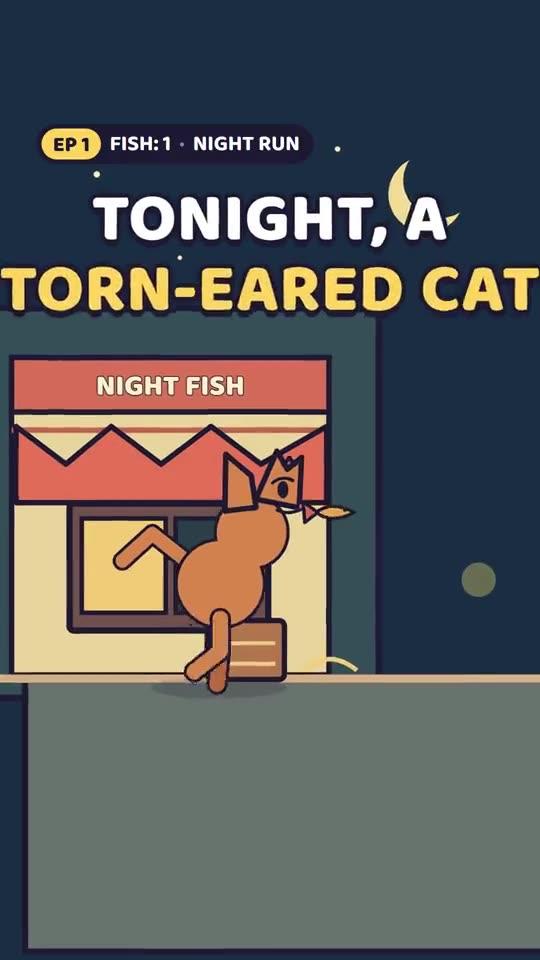
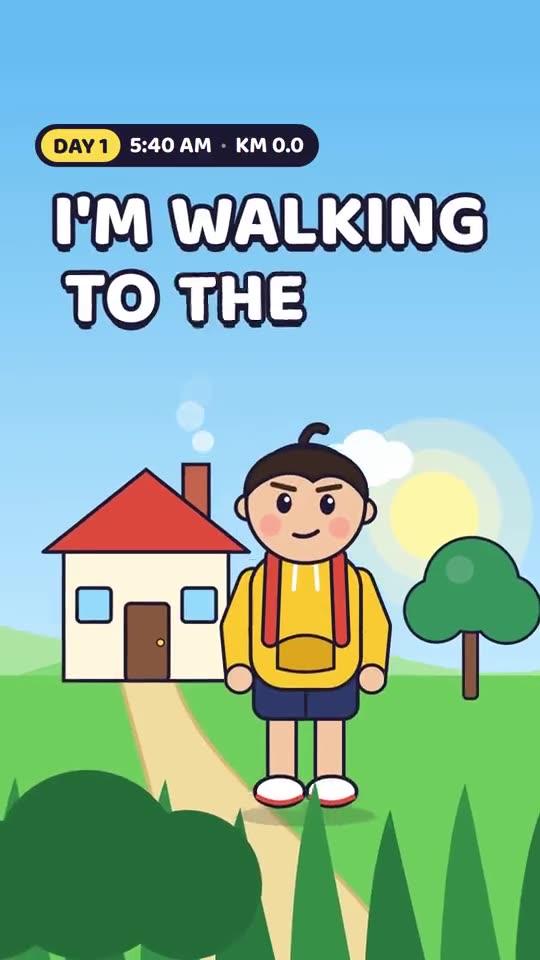
Cartoon story
SeriesOne character you'll recognise, a new angle every shot, big words, and a cliffhanger your viewers vote on. Drawn in code, so part 2 looks like part 1.
Explainer
TeachOne idea, made clear: numbers that count up, charts that grow, and diagrams that draw themselves as the voice explains.
Talk
Two voicesTwo voices in a real back and forth: a podcast, a debate, a chat thread, an interview. Faces that react, cuts to who's talking.
Picture story
AI picturesAI pictures with the code as the camera: slow pushes, parallax, and cutouts that act out what's said.
How it works
Chat with it like a director. Approve, then it makes it.
- 01
Say what you want
In your own words, in any language. Attach a photo, a character or a reel to copy its style.
- 02
Approve the storyboard
Scenes and spoken lines come first. Change any of them for free until it reads right.
- 03
It makes and checks itself
Crashes, blank endings and the wrong length are fixed before you ever see the video.
- 04
Point, fix, download
Box any spot in any frame and say what to change. When it’s right, download the MP4 with sound.
Built for creators who post daily
Make a series, not a one-off.
Keep the same characters episode after episode, copy the style of a reel that worked, and speak in your own voice.
 Episode 2
Characters that stay the same
Save your cast once. Make the next episode in one click, with a recap and the same look.
Make it like a reel that worked
Upload a video or screenshots. NewtonClip copies its look, pacing and structure, and writes new words of its own.
Your own voice
Read a minute aloud once. Every video after that can speak in your voice. Private to your account.
Fix one spot, not the whole video
Drag a box over a caption or a face and say what’s wrong. Everything else stays as it was.
26 languages
The script, captions and voice in the language you choose, with fonts for every script.
Music and sound, timed to the frame
Music written for each video, sound effects on every hit, mixed under the voice.
Pricing
Plan for free. Pay for what you make.
Chatting and storyboards never use credits. Credits are spent when a video is made or changed, by what it really costs to make.
Free
Try it properly.
$0to start
Start free- 300 credits, about 10 short videos
- Fast and Best quality
- Videos up to 30 seconds
- MP4 download
Creator
Post every day.
$29/ month
Start free- 3,000 credits a month, about 100 videos
- Videos up to 3 minutes
- Your own voice
- 2 AI influencers
- Saved characters and series
- Most popular
Pro
For serious creators.
$49/ month
Start free- 5,500 credits a month, about 180 videos
- Everything in Creator
- Videos up to 10 minutes
- 3 of your own voices
- 5 AI influencers
Studio
For brands and agencies.
$99/ month
Start free- 12,000 credits a month, about 400 videos
- Everything in Pro
- 5 of your own voices
- Unlimited AI influencers
Every account starts on Free. Paid plans can be bought soon.
FAQ
Questions, answered.
Do I need to know how to edit video?
No. You describe the video, approve a storyboard, and NewtonClip makes it. To change something, ask in plain words or point at it.
Can I use my own photos, footage or characters?
Yes. Attach pictures to show in the video, turn a photo into a character, or upload a reel to copy its style. NewtonClip writes new words of its own, so it isn't a repost.
Can I make a series?
Yes. Save the characters from any video and press Make the next episode. It keeps the cast, the look and the story so far.
How long can a video be?
Up to 10 minutes on Pro and Studio, 3 minutes on Creator, and 30 seconds on Free. A video with a voiceover lasts as long as its voice. Videos over 3 minutes are made in chapters, about one a minute, so they take longer to make.
What happens when my credits run out?
You can still chat and plan videos, since those never use credits. Making or changing a video waits until your plan's credits refill at the start of its next month, or until you move to a bigger plan.
What do I get at the end?
An MP4 with picture and sound, 1080 × 1920, made for vertical apps like Instagram Reels and YouTube Shorts.
Which languages does it speak?
26, including Hindi, Telugu, Tamil, Spanish, Arabic and Japanese. The script, the captions and the voice are all in the language you pick.
What happens in episode 1?
No card needed. A storyboard comes back in about 15 seconds.